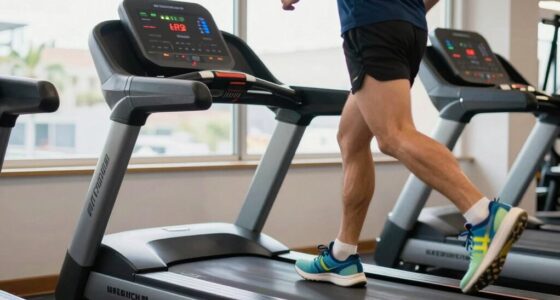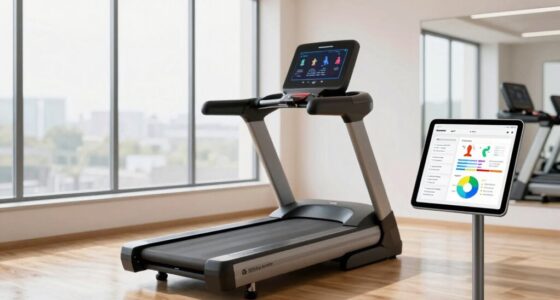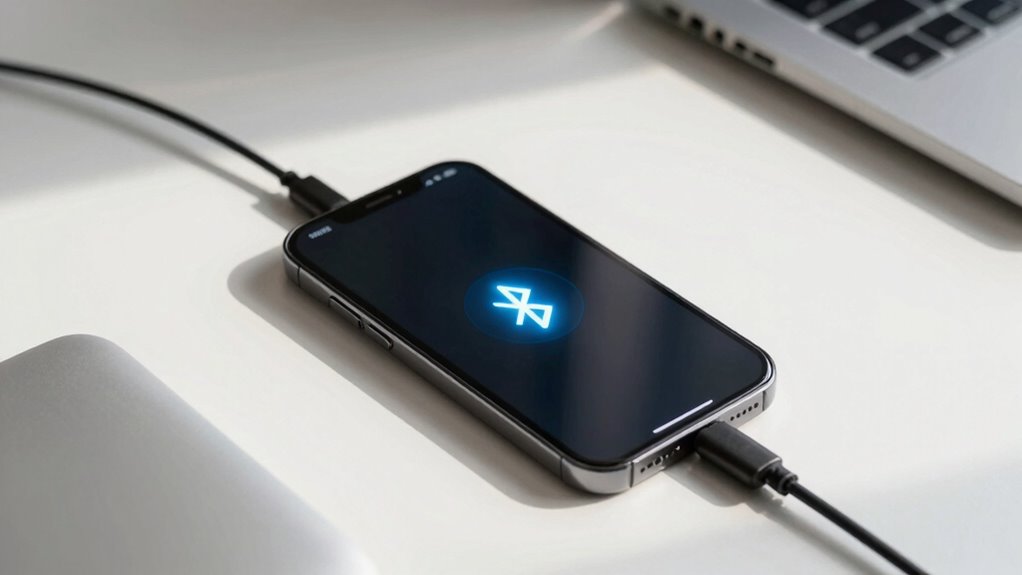
For those seeking a treadmill with Bluetooth, the key considerations often revolve around connectivity, ease of use, and overall build quality. The Folding Treadmill with Incline and App Control stands out as the best overall choice, offering a balance of power, features, and seamless connectivity. The Walking Pad Treadmill with 15% Incline is a compact, versatile option ideal for small spaces, while the Goplus 2-in-1 Folding Treadmill provides excellent value with its dual-purpose design. The main tradeoffs include balancing budget against features like incline range, motor power, and app integration. Keep reading for a detailed breakdown of each option to help you find the best fit.

Get workout gear delivered free — and shop member deals
- Fast, free delivery on millions of items
- Access to Prime Big Deal Days deals on October 6–7
- Prime Video, Amazon Music and more included
Complete the kit


Key Takeaways
- Top picks vary widely in motor power, with higher horsepower offering smoother, more consistent workouts, especially at inclines.
- Bluetooth features often include speakers and app control, but their quality and usability differ significantly between models.
- Foldability and space-saving design are common priorities, but they can impact stability and incline range.
- Price correlates with features like incline degrees, motor wattage, and connectivity options, so consider your primary workout needs.
- Most models include basic safety features, but premium options often add advanced controls and quieter motors for better user experience.


| treadmills with bluetooth | Motor Power |
|---|---|
| Walking Pad Treadmill with 15% | 3.5 HP |
| JUKER Walking Pad Treadmill Un | 2.5 HP |
| Walking Pad Treadmill with 18% | 3.5 HP |
| Folding Walking Pad with 10% I | 2.5 HP |
| Goplus 2-in-1 Folding Treadmil | 2.25 HP |
| Folding Treadmill with Incline | 3.5 HP |
More Details on Our Top Picks
Walking Pad Treadmill with 15% 12-Level Incline & UI Screen, Foldable Under Desk Treadmill with Bluetooth Speaker, Portable for Home & Office
This treadmill stands out for its impressive combination of a 12-level incline, large RGB display, and Bluetooth speakers, making it a strong choice for those who want a customizable workout experience in limited spaces. Unlike the JUKER walking pad, which offers a simpler control setup, this model provides more incline adjustability and a more immersive display, though it is bulkier to store. Its robust 3.5 HP motor and support for up to 450 lbs make it suitable for a wide range of users, but this durability comes with a higher price and potential size issues in very small rooms.
Pros:- Adjustable incline levels for varied workouts
- Immersive RGB display and dynamic lighting
- Quiet operation suitable for home and office
- Supports up to 450 lbs for durability
Cons:- May be bulky for very small spaces
- Price not specified, potentially expensive
- Requires space for storage when not in use
Best for: Individuals seeking a comprehensive, adjustable under desk treadmill that can handle higher weight capacities and deliver an engaging workout.
Not ideal for: Users with very limited space who need an ultra-compact model or those on a tight budget, as this unit might be bulky and costly.
- Incline Levels:12
- Max Weight Capacity:450 lbs
- Motor Power:3.5 HP
- Belt Width:16 inches
- Noise Level:Below 35 dB
- Deck Layers:Triple shock absorption, 7-layer non-slip belt
Our verdict“This treadmill is ideal for users who prioritize versatile workouts and durability over compactness and cost.”
JUKER Walking Pad Treadmill Under Desk with Incline, RGB & Bluetooth
The JUKER Walking Pad is a highly portable option, offering a 2.5 HP motor, 5% incline, and Bluetooth connectivity, making it suitable for light to moderate activity in shared spaces. Compared with the Walking Pad with 18% incline, this model’s fixed incline limits workout diversity but provides quieter operation and app control for easy adjustments. Its relatively small 15×36 inch walking area suits most users but may feel cramped for taller individuals or those needing more space for larger strides. Its shock absorption and Bluetooth speakers enhance comfort and entertainment, though it supports a lower maximum weight of 250 lbs.
Pros:- Quiet operation suitable for shared spaces
- Includes immersive RGB lighting and Bluetooth speakers
- App control for easy workout management
- Supports up to 250 lbs with shock absorption
Cons:- Limited maximum speed of 6 km/h may not suit all users
- Fixed incline cannot be adjusted
- Relatively small walking area for taller users
Best for: Office workers or home users who want a quiet, app-controlled treadmill for light activity during work or leisure.
Not ideal for: Active runners or taller users who need higher speeds, larger walking areas, or higher weight capacities.
- Motor Power:2.5 HP
- Maximum Speed:6 km/h
- Maximum Incline:5%
- Weight Capacity:250 lbs
- Item Dimensions:40″D x 21″W x 4″H
- Connectivity:Bluetooth, App
Our verdict“This treadmill is best suited for light, casual activity in quiet environments with app control convenience.”
Walking Pad Treadmill with 18% Incline and Handle, Foldable, RGB Display, Bluetooth Speaker, 3.5HP, 350LBS Capacity
This treadmill offers extensive functionality, including an 18% incline and speeds up to 7 MPH, making it suitable for users seeking more challenging workouts. Compared to the Goplus 2-in-1, it provides more incline and faster speeds, although it is less compact and slightly heavier. Its RGB ambient lighting and Bluetooth speaker add a fun, immersive element, but the larger size and higher weight capacity of 350 lbs mean it’s better suited for dedicated workout spaces rather than small apartments.
Pros:- Multiple workout modes including high incline and speed
- Foldable design with handle for storage
- Built-in Bluetooth speaker and RGB lights for entertainment
- Supports up to 350 lbs for stability and durability
Cons:- Limited to 350 lbs weight capacity, less than some bulkier models
- Some users may find control panel complex
- Requires consistent power connection
Best for: Active users who want a versatile treadmill capable of intense walking, jogging, or running with high incline levels.
Not ideal for: Those with limited space or who prefer simple, no-frills models, since this one is larger and more complex to set up.
- Maximum Speed:7 mph
- Maximum Incline:18%
- Motor Power:3.5 HP
- Maximum Weight Capacity:350 lbs
- Item Dimensions:49.2″D x 21.65″W x 42.52″H
- Deck Length:42.5 inches
Our verdict“Ideal for fitness enthusiasts seeking a feature-rich treadmill for intense training sessions at home.”
Folding Walking Pad with 10% Incline and Bluetooth Speaker, 2.5HP Treadmill for Home
The B0GWFQGVPY treadmill emphasizes portability with a foldable design, adjustable inclines up to 10%, and Bluetooth speakers, making it a good fit for users wanting simple yet customizable walking workouts. Its 2.5 HP motor and shock absorption ensure smooth operation, but it offers only three incline levels and lacks a built-in display for workout metrics. Compared to the Goplus 2-in-1, it is more portable and easier to store, though less versatile in incline options and data tracking.
Pros:- Adjustable incline for varied walking workouts
- Bluetooth speaker and smart app integration
- Compact, foldable with wheels for easy storage
- Shock absorption for comfort
Cons:- Limited to 3 incline levels
- No built-in display for workout metrics
- Requires smartphone for full app features
Best for: Home users who prioritize space-saving design with moderate incline options and basic Bluetooth features.
Not ideal for: Active users seeking high-speed running or advanced tracking features, as this model is limited in incline and lacks an integrated display.
- Incline Adjustment:0%, 5%, 10%
- Motor Power:2.5 HP
- Running Belt Size:38×15 inches
- Weight:41 lbs
- Dimensions:43.3×19.7×4.7 inches
- Max Capacity:360 lbs
Our verdict“Best suited for casual walkers who want a space-efficient treadmill with Bluetooth connectivity and moderate incline options.”
Goplus 2-in-1 Folding Treadmill, 2.25HP Under Desk Electric Treadmill with APP Control, Bluetooth Speaker, LED Display
The Goplus 2-in-1 treadmill combines walking and running in one device, with a quiet 2.25 HP motor and smart controls via app, Bluetooth, and remote. While it offers a flexible setup for varied workouts, its speed in under desk mode caps at 4 km/h, which limits its utility for more vigorous activity. Compared with the Walking Pad with 15% incline, this model provides more versatility with its 12 km/h maximum speed and app controls but sacrifices some incline adjustability and display features. Its foldable design makes it easy to store, making it a sensible choice for budget-conscious users.
Pros:- Versatile 2-in-1 design for walking and running
- Quiet motor suitable for home and office
- Smart features including app control and Bluetooth speaker
- Foldable with wheels for easy storage
Cons:- Remote control requires batteries (not included)
- Speed in under desk mode limited to 4 km/h
- No detailed workout display included
Best for: Budget-conscious users seeking a versatile, foldable treadmill with smart controls for walking or light jogging.
Not ideal for: Active runners or those needing higher speeds or inclines, as this model’s limits restrict intense training or steep inclines.
- Motor Power:2.25 HP
- Speed Range:1-12 km/h
- Control:App, Bluetooth, Remote
- Folded Dimensions:Compact, space-saving
- Certifications:CE, ROHS, CB, EN957, IEC
Our verdict“Suitable for users seeking a flexible, space-saving treadmill with basic smart features on a budget.”
Folding Treadmill with Incline, 3.5HP Quiet Foldable Treadmill for Home, 7.6 MPH, Bluetooth, App Connectivity, Space-Saving Design
This treadmill stands out for its balance of power and convenience, offering a 3.5HP motor that can handle brisk walks and light runs, similar to the Goplus 2-in-1 but with a larger display and better shock absorption. Its space-saving foldable design makes it ideal for smaller apartments, yet it provides enough features for diverse workouts. The Bluetooth connectivity enables syncing with the Sports Show APP, allowing customized programs, but the full experience depends on your smartphone setup, which might be a hassle for some users. Unlike the Walking Pad models, it includes a built-in desktop for multitasking, making it a good choice for busy professionals. However, the lack of detailed incline levels and limited info on maximum incline may restrict those seeking more intense incline training. Overall, this pick is best suited for users who want a quiet, feature-rich treadmill that can double as a workspace, but those craving advanced incline options might want to look elsewhere.
Pros:- Space-saving hydraulic folding design for easy storage
- Bluetooth connectivity with customizable workout programs
- Built-in desktop for multitasking during workouts
- Effective shock absorption reduces joint impact
Cons:- Limited information on maximum incline level
- Requires smartphone app for full functionality
- No detailed specifications on incline range
Best for: Home users who need a quiet, multifunctional treadmill that fits into small spaces and supports multitasking
Not ideal for: Fitness enthusiasts seeking high-incline workouts or advanced incline programming
- Motor Power:3.5 HP
- Max Speed:7.6 MPH
- Weight Capacity:300 lbs
- Incline:Adjustable (details limited)
- Bluetooth:Yes
- App Compatibility:Sports Show APP
- Foldable:Yes
- Shock Absorption:Upgraded spring structure
Our verdict“This treadmill offers a solid mix of quiet operation and multitasking features, making it ideal for small-space home users who want versatility, but it may fall short for serious incline training enthusiasts.”

How We Picked
These treadmills with Bluetooth were evaluated based on performance, build quality, connectivity features, ease of setup, and value for money. We prioritized models that offer reliable Bluetooth integration, intuitive controls, and durable construction suitable for daily use. Additional factors included incline range, motor power, and space efficiency. The rankings reflect a balance between feature set and affordability, ensuring each pick caters to different user needs—whether for home, office, or premium use. Our goal was to identify options that provide seamless Bluetooth connectivity without sacrificing core treadmill performance.Factors to Consider When Choosing Treadmills With Bluetooth
Choosing a treadmill with Bluetooth involves more than just verifying connectivity. Consider how the treadmill’s motor power and incline range will support your workout intensity and goals. Space constraints should influence foldability and size, while app integration can enhance your experience through tracking and workout customization. Reliability and noise levels are also key, especially for home or office environments. Be wary of models with flashy features but poor build quality or limited support, as these can lead to frustration over time.Connectivity and App Compatibility
Bluetooth connectivity should enhance your workout experience, allowing you to connect to fitness apps, speakers, or devices for tracking and entertainment. Check whether the treadmill supports popular fitness apps like Zwift, Kinomap, or proprietary controls, and ensure compatibility with your smartphone or tablet operating system. Reliable Bluetooth performance minimizes disconnections, which can disrupt your routines. Avoid models with limited or unstable Bluetooth, as this can frustrate users who rely on smooth integration for motivation and data tracking.
Motor Power and Incline Range
The motor’s wattage or horsepower directly impacts the treadmill’s ability to handle various workout intensities and inclines. Higher horsepower models typically support more vigorous workouts and steeper inclines, which is vital for serious runners or those seeking varied training. Lower-powered options may suffice for walking or light jogging but can struggle with sustained use or incline adjustments. Evaluate your fitness level and goals carefully to match the motor specs with your intended use, avoiding underpowered models that may limit your progress.
Space and Foldability
Space-saving features like foldable frames are essential for small homes or offices. However, folding mechanisms can sometimes compromise stability or limit incline options. Consider how much space you have available and whether a compact design will remain sturdy during use. Some models feature quick-fold systems, but ensure they don’t add complexity or reduce overall durability. Think about your storage needs versus the importance of a stable, high-performing treadmill for your workouts.
Build Quality and Noise Levels
Durability is critical, especially if you plan frequent use. Look for sturdy frames, quality motors, and reliable components. Quieter operation is also a major plus, especially if you share your space with others or work from home. Models with noise-reducing features or vibration damping tend to provide a more comfortable experience. Remember, cheaper models often cut corners on build quality, which can result in increased noise and decreased longevity over time.
Price and Value
While budget options can be tempting, they often come with compromises like limited incline, lower motor power, or fewer Bluetooth features. Conversely, premium models tend to offer more advanced connectivity, higher durability, and extensive workout options but at a higher cost. Prioritize features that align with your fitness goals and usage frequency. Investing in a slightly more expensive model with robust Bluetooth and build quality can pay off through increased enjoyment and longevity.
Frequently Asked Questions
Can I connect my treadmill with Bluetooth to my fitness app?
Most modern Bluetooth-enabled treadmills support connection to popular fitness apps for tracking workouts, monitoring progress, and customizing routines. However, compatibility varies, so it’s essential to verify whether your preferred app is supported by the specific model. Ensure your device’s Bluetooth version is compatible and that the treadmill’s app interface is user-friendly. Proper setup can significantly enhance your workout experience by providing detailed feedback and motivation.
Are Bluetooth speakers on treadmills good enough for music and calls?
Bluetooth speakers integrated into treadmills generally offer decent sound quality for casual listening, but they are not designed for audiophile-level sound. They are suitable for motivating music during workouts or taking calls, but volume and clarity may vary. If high-quality sound is a priority, consider using external Bluetooth speakers or headphones for better audio performance. Also, check if the speakers can be easily toggled on or off to avoid distraction during workouts.
Does Bluetooth connectivity impact treadmill performance or safety?
In most cases, Bluetooth connectivity does not interfere with the mechanical or electrical performance of the treadmill. However, poor-quality Bluetooth modules can cause disconnections or lag, which might frustrate users or interrupt workout data tracking. Safety features, such as emergency stop buttons and sturdy rails, are more critical than Bluetooth stability but ensure your Bluetooth connections are reliable. It’s wise to choose models with proven Bluetooth performance to avoid disruptions during exercise.
Is a higher incline range necessary for most users?
Higher incline options, such as 15% or more, are beneficial for those seeking more intense workouts or simulating outdoor hill running. For casual walkers or beginners, a lower incline may suffice. Keep in mind that steeper inclines often come with increased motor and structural requirements, which can affect price and stability. Assess your fitness level and goals to decide whether the added incline range justifies the extra investment.
What should I look for in a treadmill with Bluetooth for home use?
For home use, prioritize stability, quiet operation, and reliable Bluetooth connectivity. Consider your available space—opt for foldable models if storage is limited. Look for user-friendly controls, app compatibility, and a motor powerful enough for your workout intensity. Durability and ease of maintenance are also important, especially if multiple people will use the treadmill. Balancing these factors ensures you get a device that fits your space, budget, and fitness goals.
Conclusion
For general users seeking a reliable, feature-rich treadmill, the Folding Treadmill with Incline and App Control makes the best overall choice. If budget is a concern, the Goplus 2-in-1 Folding Treadmill offers great value without sacrificing essential Bluetooth features. Beginners or those with limited space should consider compact models like the Walking Pad Treadmill with 15% Incline. For dedicated runners or advanced users, models with higher motor power and incline ranges provide the performance needed to push your limits. Ultimately, selecting the right treadmill depends on your space, fitness level, and connectivity needs, so choose accordingly to maximize your workout experience.
Fall Picks
fall essentials
As an affiliate, we earn on qualifying purchases.